Parental Control Google Search: How to Keep Your Children Safe Online in 2027
Introduction
Parental Control Google Search is an important tool for parents who want to protect their children from inappropriate content while browsing the internet. Nowadays, children use smartphones, tablets, and computers for education, entertainment, and communication. However, unrestricted internet access can expose them to harmful websites, adult content, misleading information, and other online risks.
Google provides several safety features that help parents manage their children’s online activities. By understanding how Parental Control Google Search works, parents can create a safer digital environment and encourage responsible internet usage.
Table of Contents
What Is Parental Control Google Search?
Parental control refers to tools and settings that allow parents to manage and monitor their children’s internet activities. Google offers different safety features that help filter inappropriate search results and control access to certain online content.
With Parental Control Google Search, parents can use Google SafeSearch, Google Family Link, and supervised accounts to improve online safety.
These features help parents:
- Filter explicit images, videos, and websites.
- Manage children’s Google accounts.
- Set screen-time limits.
- Control app downloads and permissions.
- Manage certain browsing activities.
- Encourage safe internet habits.
1. Enable Google SafeSearch
Filtr SafeSearch w Google – Co to jest i jak go włączyć/wyłączyć?
Google SafeSearch is one of the easiest ways to filter explicit content from Google Search results. It helps prevent children from accidentally discovering inappropriate images, videos, and websites.
Follow these steps to enable SafeSearch:
- Open Google Search on your device.
- Visit Google SafeSearch settings.
- Select the Filter option.
- Make sure the setting is saved.
- Review the settings regularly.
SafeSearch is a useful feature of Parental Control Google Search, especially for younger children. However, it does not block all inappropriate content across the internet or other search engines.
2. Use Google Family Link
Google Family Link gets location tracking plus better screen time limiting features – PhoneArena
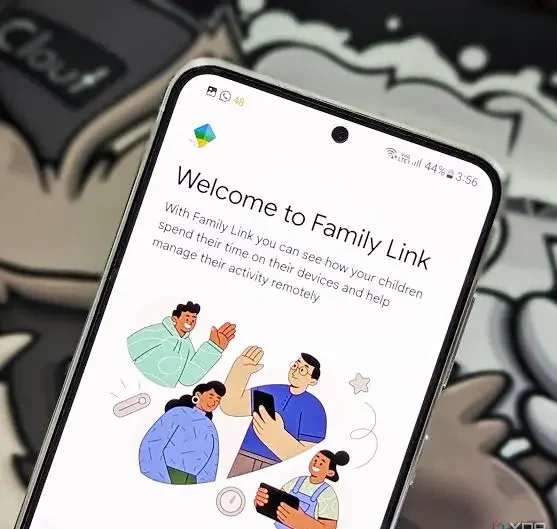
Google Family Link is an application designed to help parents supervise their children’s Google accounts and compatible devices.
Parents can use Family Link to:
- Manage screen-time limits.
- Approve or restrict app downloads.
- Set daily device usage limits.
- Manage account settings.
- View certain device activity information.
- Manage content restrictions.
To get started, install Google Family Link on your device and follow the instructions to connect your child’s Google account.
Combining Family Link with Parental Control Google Search settings can provide additional protection for children using Android devices and supported Google services.
3. Set Up Supervised Google Accounts
A supervised Google account allows parents to manage certain activities associated with their child’s account.
Depending on the child’s age, country, and device, parents may be able to manage:
- Google account settings.
- Content restrictions.
- App access and downloads.
- YouTube experiences.
- Screen-time controls.
Supervised accounts are particularly useful for younger children who are beginning to explore the internet.
4. Why Is Parental Control Important?
Children spend more time online than ever before. Although the internet offers educational resources and entertainment, it also contains content that may not be suitable for young users.
Here are some important reasons to use Parental Control Google Search:
Protection from inappropriate content: Content filters help reduce exposure to explicit search results.
Better screen-time management: Parents can establish healthy limits on device usage.
Safer browsing experience: Supervision helps children develop responsible browsing habits.
Protection against online risks: Parents can guide children when they encounter suspicious websites or misleading information.
Digital awareness: Children learn how to use technology safely and responsibly.
5. Limitations of Google Parental Controls
Although Google’s parental control features are useful, they do have certain limitations.
- SafeSearch mainly filters Google Search results.
- It does not guarantee complete protection from inappropriate websites.
- Some controls depend on the child’s age and device.
- Settings may differ across Google services.
- Children may encounter content through other apps and platforms.
Therefore, parents should not depend entirely on technology. Regular communication and guidance are equally important.
Tips for Keeping Children Safe Online
Along with using Parental Control Google Search, parents can follow these practical tips:
- Talk to children about online safety.
- Encourage them to avoid unknown websites and suspicious links.
- Review privacy and security settings regularly.
- Set reasonable screen-time limits.
- Teach children not to share personal information online.
- Keep devices and applications updated.
- Encourage children to report uncomfortable online experiences.
Conclusion
Parental Control Google Search is a helpful way to make internet browsing safer for children. Features such as Google SafeSearch and Family Link allow parents to filter search results, supervise certain online activities, and manage device usage.
However, parental controls alone cannot prevent every online risk. Combining Google’s safety tools with proper guidance, communication, and responsible digital habits can help children enjoy a safer online experience in 2027.