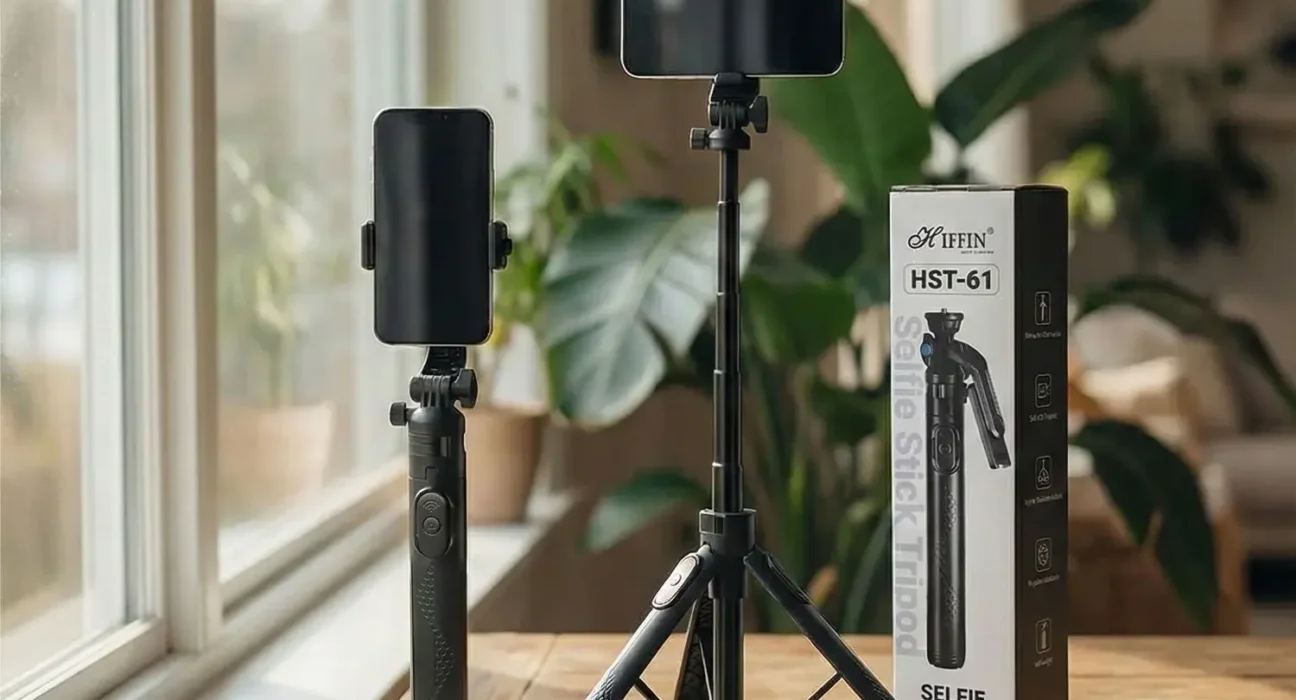
Which Is the Best Tripod for Content Creators? Top Picks for YouTubers
Introduction
Choosing the right tripod is important for creating high-quality YouTube videos, product reviews, tutorials, and vlogs. A good tripod keeps your smartphone or camera stable, helps you maintain the correct shooting angle, and makes recording easier when working alone. The best tripod for content creators depends on your camera, budget, and the type of videos you want to produce.
Many YouTubers use adjustable tripods, compact smartphone stands, and professional camera tripods to achieve stable footage. In this article, we will explore popular tripod options, important features, and tips to help you choose the right one for your YouTube channel.
Table of Contents
Why Do YouTubers Use Tripods?
Tripods are essential accessories for both beginner and professional YouTubers. They allow creators to record videos without holding a camera or smartphone throughout the recording session.
Here are some important benefits of using a tripod:
- Stable videos: Reduces unwanted camera movement during recording.
- Better framing: Helps keep your face, products, or other subjects in the correct position.
- Hands-free recording: Makes tutorials, cooking videos, unboxing videos, and presentations easier.
- Flexible shooting angles: Allows creators to record videos from different heights and positions.
- Consistent quality: Helps maintain the same camera angle across multiple recordings.
A reliable tripod can improve your recording setup without requiring an expensive camera or complicated equipment.
Best Tripods for Content Creators
There is no single tripod that every YouTuber uses. The right choice depends on whether you record with a smartphone, DSLR, mirrorless camera, or action camera.
1. Ulanzi MT-44 Extendable Vlog Tripod
The Ulanzi MT-44 is worth considering for smartphone creators who need a portable stand for vlogging, travel videos, and everyday recording. Its extendable design makes it useful for capturing different perspectives.
Key benefits:
- Portable design for travel and outdoor recording.
- Adjustable height for different shooting positions.
- Suitable for compatible smartphones and lightweight setups.
- Useful for selfies, vlogs, and short-form videos.
This model is a practical option for creators who want a versatile stand without carrying a large tripod.
2. Digitek DTR 550 LW Tripod
The Digitek DTR 550 LW is another option for creators looking for a full-size tripod. It is designed for camera support and can suit creators who need a taller setup for tutorials, presentations, and product videos.
Key benefits:
- Adjustable height for different recording situations.
- Foldable design for storage and transportation.
- Useful for compatible cameras and supported phone-holder setups.
- Suitable for indoor recording and some outdoor shoots.
Before purchasing, check the current specifications, mounting compatibility, and supported load for your particular camera.
3. Joby GorillaPod
A GorillaPod-style tripod is popular among creators who need flexible positioning. Its bendable legs can wrap around suitable supports, making it helpful when recording outdoors or working in spaces where a traditional tripod is difficult to position.
Key benefits:
- Flexible legs for creative positioning.
- Compact design for travel.
- Useful for selected smartphone and camera setups.
- Suitable for vlogging and close-up recording.
Choose a model that can safely support your equipment, as weight capacity varies between versions.
4. Manfrotto PIXI Mini Tripod
The Manfrotto PIXI is a compact tabletop tripod designed for small cameras and compatible mounting setups. It can be useful for desk videos, product demonstrations, and recording while seated.
Key benefits:
- Small and portable design.
- Convenient for tabletop recording.
- Useful for compact cameras and compatible accessories.
- Can also function as a handheld grip with supported setups.
Its limited height means it is not the ideal choice for every standing or full-body recording situation.
5. SmallRig AD-01 Video Tripod
For creators using heavier camera equipment, a dedicated video tripod may be a better investment than a small smartphone stand. The SmallRig AD-01 is designed for video production and is worth considering for interviews, longer shoots, and camera movements.
Key benefits:
- Video-oriented tripod design.
- Suitable for compatible camera setups.
- Designed to support controlled panning and tilting.
- Better suited to more demanding filming than basic mini tripods.
Check the tripod’s load capacity and head compatibility before attaching your camera, microphone, monitor, or other accessories.
How to Choose the Best Tripod for Content Creators
Before buying a tripod, consider these essential factors.
1. Maximum Height
Choose a tripod that reaches a comfortable height for your usual recording position. If you create standing videos, a taller tripod can help you position the camera around eye level. Desk-based creators may prefer a smaller tabletop stand.
2. Build Quality and Stability
A tripod should remain steady when your camera is mounted. Metal construction, secure locking mechanisms, and stable feet can help reduce unwanted movement. Avoid extending lightweight tripods beyond their recommended limits.
3. Smartphone and Camera Compatibility
Not every tripod includes a smartphone holder. Check whether the model supports your device directly or requires an additional mount. Camera users should also verify the mounting connection and maximum load capacity.
4. Portability
Travel vloggers may prefer a lightweight, foldable tripod. Creators who mostly record in a home studio can choose a larger model if it offers better stability and height.
5. Budget
Beginners do not need to spend a lot of money immediately. Start with a stable tripod that meets your requirements, then upgrade when your recording style or equipment changes.
Tips for Recording Better YouTube Videos With a Tripod
Even an expensive tripod cannot guarantee great video quality without proper setup. Follow these simple tips:
- Place the tripod on a firm, level surface.
- Tighten all locks before starting the recording.
- Position the camera at a natural viewing angle.
- Check the frame before recording the entire video.
- Use good lighting to improve image quality.
- Keep your microphone close enough to capture clear audio.
- Test the setup before recording outdoors, especially in windy conditions.
These small adjustments can help make your videos look more polished and professional.
Conclusion
The right tripod can make a significant difference in your YouTube recording experience. The Ulanzi MT-44 is worth considering for portable smartphone vlogging, the Digitek DTR 550 LW for a taller recording setup, and the SmallRig AD-01 for compatible camera-based video production.
Ultimately, the best tripod for content creators is the one that matches your recording style, equipment, and budget. Compare stability, height, portability, and compatibility before purchasing. With the right setup, you can record steady videos and focus more on creating engaging content for your audience.